When we take a family holiday by plane or train, this means travelling light compared to a car trip. On these occasions my camera is a Sony RX100 which is perfect for the type of use it will get on this kind of holiday. So I have with me the RX100 and my Pixel phone, the latter being pretty good for really wide-angle shots that the RX100 can’t handle, and for low light. But how to back up the images?
On our recent trip to the Netherlands in three weeks I had taken over 2000 images. I don’t want to back up to the cloud for all sorts of reasons, and don’t want to have to pack a lap top or some other device.
In the camera settings I make sure that there is a new folder for images for each day. That makes it easier to see what you want to back up. I do the back up at the end of each day.
I have developed a method that uses the phone to transfer images from the camera SD card to a memory stick. I use a Primewire USB hub that will plug into my phone and has an SD slot and USB slot for the memory stick.
Before I leave home, I create some folders on the memory stick so that the backups will be organised; I do mine by the locations we will be being stayed at.
The card and memory stick are plugged into the hub, and that is plugged into the phone. It’s an Android phone and I am using an App called Astro as the file manager to COPY the images from card to memory stick. It’s very straightforward and intuitive. When the backup is complete you can inspect the memory stick folder to check the the files have all copied across properly.
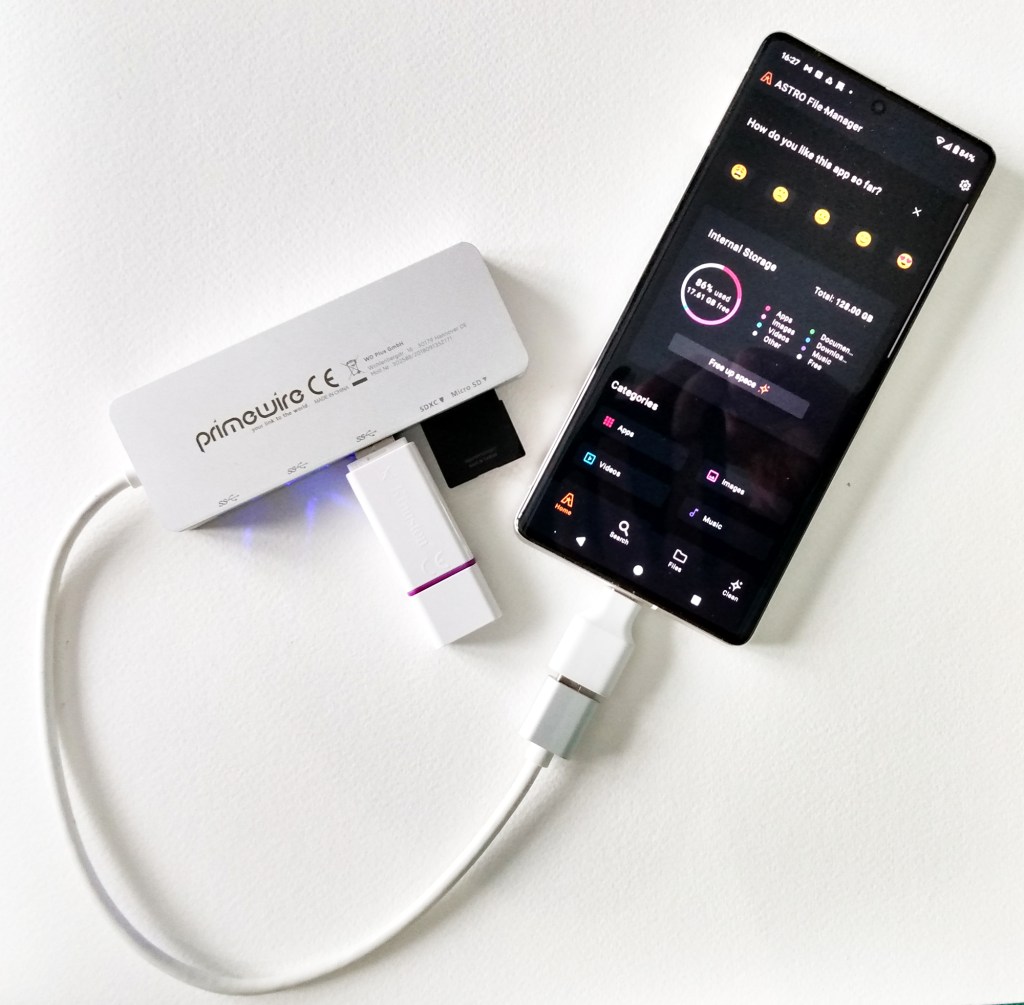
The important thing is to eject the SD card and memory stick from the phone using the phone dialogue to do so. Google it for your phone, if you don’t know how. DO NOTunplug anything from the phone until the card and memory stick have been properly ejected. If you don’t do that, I know from personal experience that the files are likely to be corrupted on the memory stick, making the backup worthless.
The backup process itself is quite slow but it seems to work reliably.
 Mike Hawkridge Photography
Leave a comment